Reolink Digital Chime Adjustable Plug-in for Reolink Video Doorbell
Overview
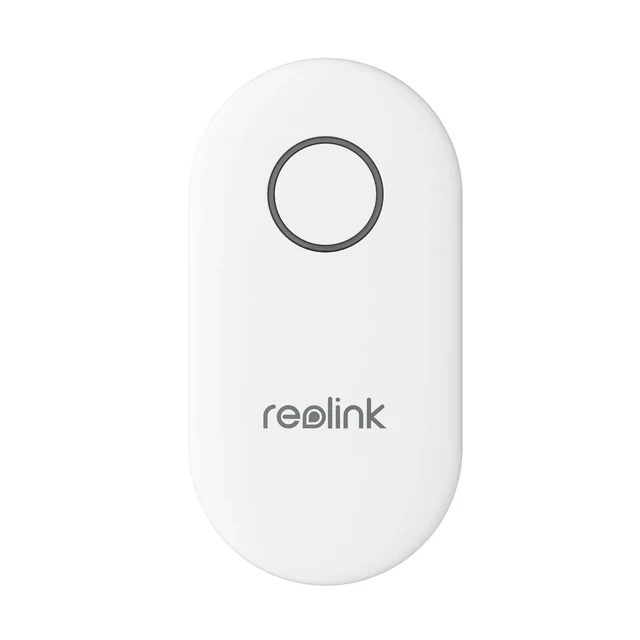
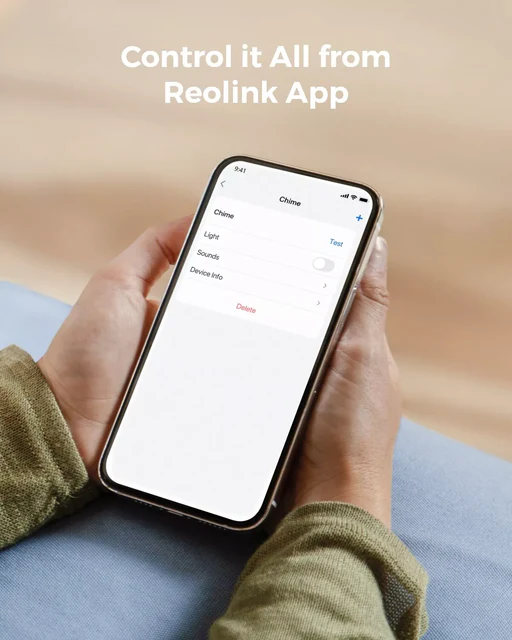
This is a digital wireless chime working with Reolink Video Doorbells. It can be effortlessly installed and easy to use. Control ringtones, volumes, and LED lights via the Reolink App/Client from anywhere, anytime.
Stay in-the-Know Across Your Home
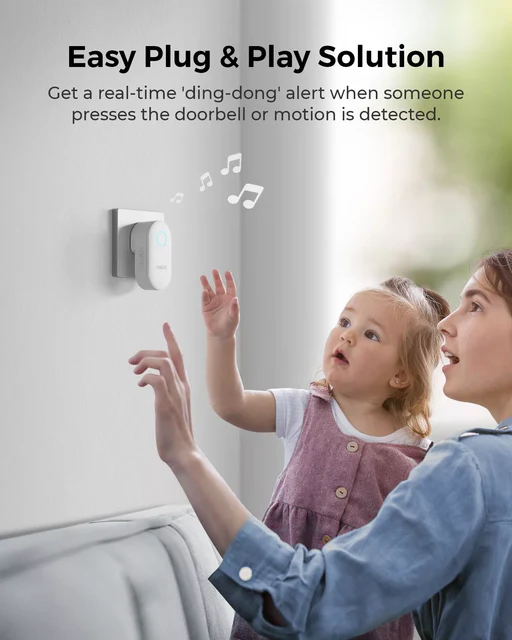
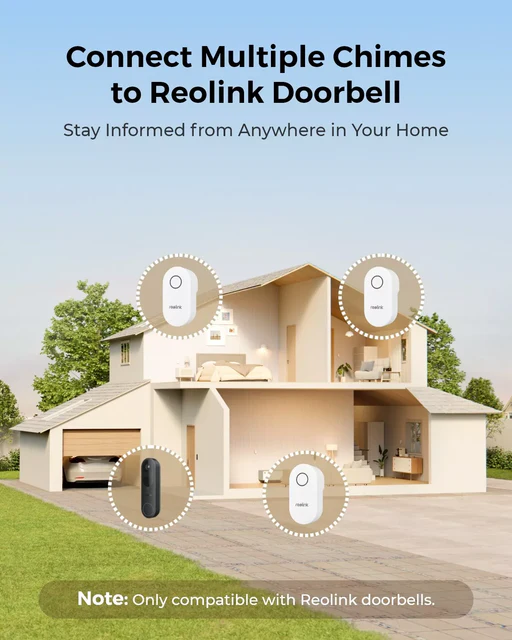
Receive instant alerts in every room with the Reolink Chime. Whether it's a doorbell press or motion detection, you'll be notified in real-time. With this handy tool, rest assured that you will never miss any events.
One App Controls All - Adjust Volumes
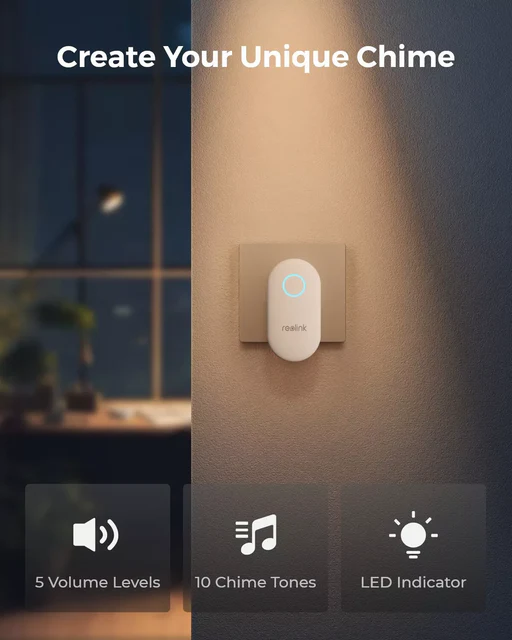
Tailor the volume to five different levels, perfect for any setting or preference.
Customize Ringtones
Choose the ringtone that you prefer or suits your need from a collection of up to 10 melodies.
Light Control
Turn the light on or off with ease, all through the Reolink App.
Enhance Your Doorbell Setup with Reolink Chime
Upgrade your doorbell experience with Reolink Chime, designed specifically for Reolink Video Doorbell PoE/WiFi V2 or higher, including the innovative Reolink Doorbell Battery. Pair it with Reolink video doorbell, ensuring seamless integration and top-notch performance.
How to Use?
- Step 1
Plug the chime into a power socket. Once plugged in, confirm that it is receiving power and ready for setup.
- Step 2
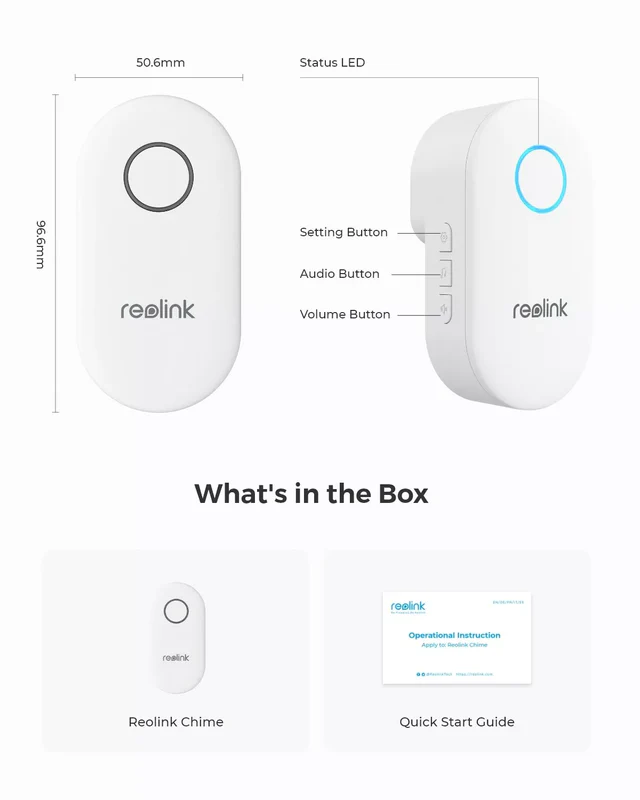
Long press the setting button on the side of the chime, then the chime will emit beep sounds, and the light will turn blue.
- Step 3
Go to the settings page of the doorbell, and select chime. Then, click the "+" icon and choose the chime you want to pair.
Sepecificaiton
- Material: ABS+PC
- Dimensions: 96.6(L)*55.6(W)*53(H)mm
- Button: For setting up/selecting ringtones/adjusting volume
- Color Night Vision: With Spotlight: 6pcs/1.6W/4500K/540-840 Lumens
- Transmission Mode: 915MHz
- Volume: 5 levels (Mute included)
- Number of Selectable Ringtones: 10 ringtones
- Working Environment: -20 ~ 55 ºC,20~85% RH
Sepecificaiton
- Material: ABS+PC
- Dimensions: 96.6(L)*55.6(W)*53(H)mm
- Button: For setting up/selecting ringtones/adjusting volume
- Color Night Vision: With Spotlight: 6pcs/1.6W/4500K/540-840 Lumens
- Transmission Mode: 915MHz
- Volume: 5 levels (Mute included)
- Number of Selectable Ringtones: 10 ringtones
- Working Environment: -20 ~ 55 ºC,20~85% RH
Original: $36.18
-70%$36.18
$10.85More Images
Reolink Digital Chime Adjustable Plug-in for Reolink Video Doorbell
Overview
This is a digital wireless chime working with Reolink Video Doorbells. It can be effortlessly installed and easy to use. Control ringtones, volumes, and LED lights via the Reolink App/Client from anywhere, anytime.
Stay in-the-Know Across Your Home
Receive instant alerts in every room with the Reolink Chime. Whether it's a doorbell press or motion detection, you'll be notified in real-time. With this handy tool, rest assured that you will never miss any events.
One App Controls All - Adjust Volumes
Tailor the volume to five different levels, perfect for any setting or preference.
Customize Ringtones
Choose the ringtone that you prefer or suits your need from a collection of up to 10 melodies.
Light Control
Turn the light on or off with ease, all through the Reolink App.
Enhance Your Doorbell Setup with Reolink Chime
Upgrade your doorbell experience with Reolink Chime, designed specifically for Reolink Video Doorbell PoE/WiFi V2 or higher, including the innovative Reolink Doorbell Battery. Pair it with Reolink video doorbell, ensuring seamless integration and top-notch performance.
How to Use?
- Step 1
Plug the chime into a power socket. Once plugged in, confirm that it is receiving power and ready for setup.
- Step 2
Long press the setting button on the side of the chime, then the chime will emit beep sounds, and the light will turn blue.
- Step 3
Go to the settings page of the doorbell, and select chime. Then, click the "+" icon and choose the chime you want to pair.
Sepecificaiton
- Material: ABS+PC
- Dimensions: 96.6(L)*55.6(W)*53(H)mm
- Button: For setting up/selecting ringtones/adjusting volume
- Color Night Vision: With Spotlight: 6pcs/1.6W/4500K/540-840 Lumens
- Transmission Mode: 915MHz
- Volume: 5 levels (Mute included)
- Number of Selectable Ringtones: 10 ringtones
- Working Environment: -20 ~ 55 ºC,20~85% RH
Sepecificaiton
- Material: ABS+PC
- Dimensions: 96.6(L)*55.6(W)*53(H)mm
- Button: For setting up/selecting ringtones/adjusting volume
- Color Night Vision: With Spotlight: 6pcs/1.6W/4500K/540-840 Lumens
- Transmission Mode: 915MHz
- Volume: 5 levels (Mute included)
- Number of Selectable Ringtones: 10 ringtones
- Working Environment: -20 ~ 55 ºC,20~85% RH
Product Information
Product Information
Shipping & Returns
Shipping & Returns
Description
Overview
This is a digital wireless chime working with Reolink Video Doorbells. It can be effortlessly installed and easy to use. Control ringtones, volumes, and LED lights via the Reolink App/Client from anywhere, anytime.
Stay in-the-Know Across Your Home
Receive instant alerts in every room with the Reolink Chime. Whether it's a doorbell press or motion detection, you'll be notified in real-time. With this handy tool, rest assured that you will never miss any events.
One App Controls All - Adjust Volumes
Tailor the volume to five different levels, perfect for any setting or preference.
Customize Ringtones
Choose the ringtone that you prefer or suits your need from a collection of up to 10 melodies.
Light Control
Turn the light on or off with ease, all through the Reolink App.
Enhance Your Doorbell Setup with Reolink Chime
Upgrade your doorbell experience with Reolink Chime, designed specifically for Reolink Video Doorbell PoE/WiFi V2 or higher, including the innovative Reolink Doorbell Battery. Pair it with Reolink video doorbell, ensuring seamless integration and top-notch performance.
How to Use?
- Step 1
Plug the chime into a power socket. Once plugged in, confirm that it is receiving power and ready for setup.
- Step 2
Long press the setting button on the side of the chime, then the chime will emit beep sounds, and the light will turn blue.
- Step 3
Go to the settings page of the doorbell, and select chime. Then, click the "+" icon and choose the chime you want to pair.
Sepecificaiton
- Material: ABS+PC
- Dimensions: 96.6(L)*55.6(W)*53(H)mm
- Button: For setting up/selecting ringtones/adjusting volume
- Color Night Vision: With Spotlight: 6pcs/1.6W/4500K/540-840 Lumens
- Transmission Mode: 915MHz
- Volume: 5 levels (Mute included)
- Number of Selectable Ringtones: 10 ringtones
- Working Environment: -20 ~ 55 ºC,20~85% RH
Sepecificaiton
- Material: ABS+PC
- Dimensions: 96.6(L)*55.6(W)*53(H)mm
- Button: For setting up/selecting ringtones/adjusting volume
- Color Night Vision: With Spotlight: 6pcs/1.6W/4500K/540-840 Lumens
- Transmission Mode: 915MHz
- Volume: 5 levels (Mute included)
- Number of Selectable Ringtones: 10 ringtones
- Working Environment: -20 ~ 55 ºC,20~85% RH